Web sealing
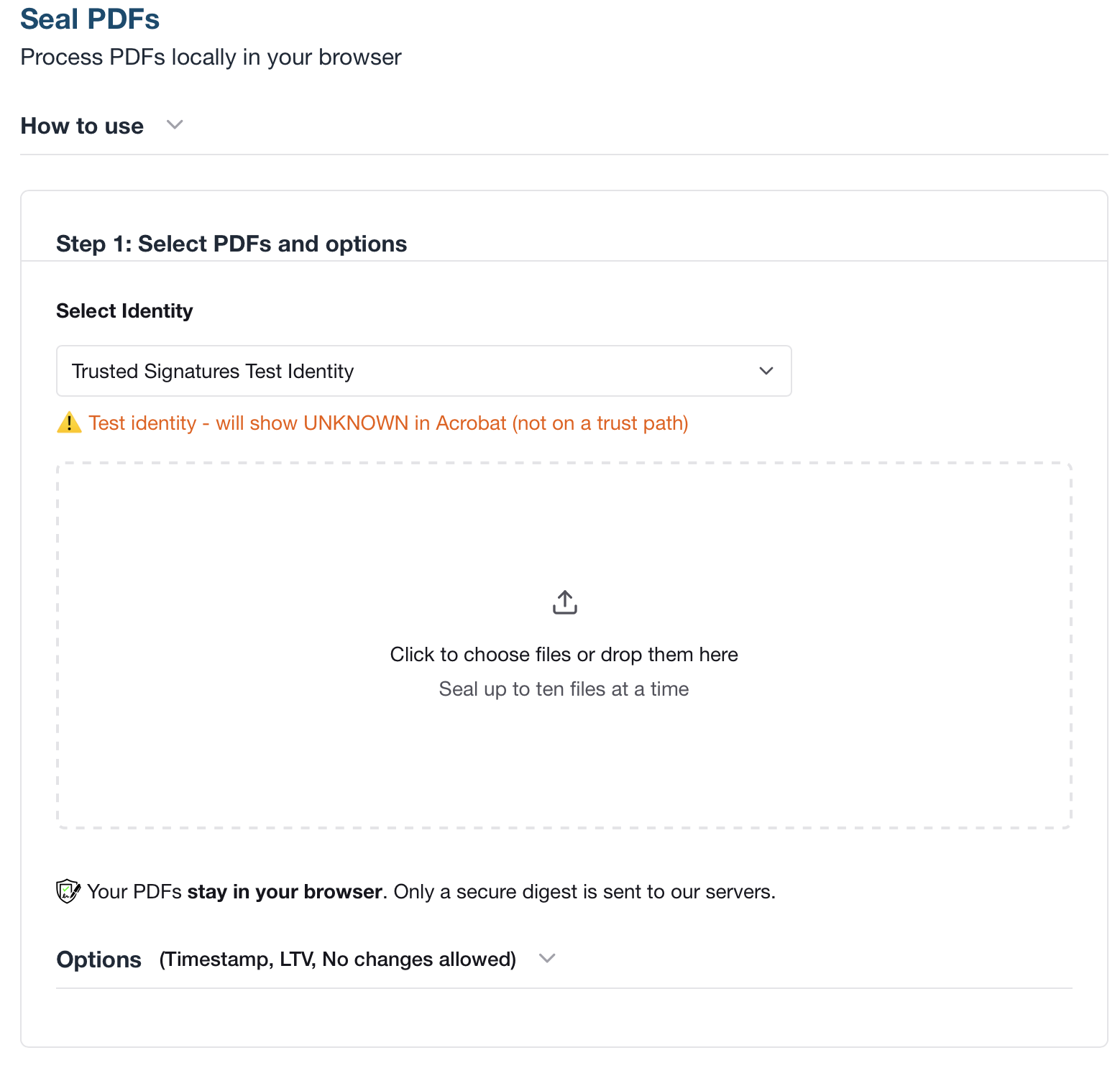
Seal PDFs directly in your browser without uploading documents to Trusted Signatures servers. Use a test certificate, the Trusted Signatures certificate, or your organization certificate based on your subscription.
- No document upload
- Browser-based local sealing
- Test, Publisher, and Identity modes
Browser quickstart
Seal locally. Keep the PDF on the device.
Web sealing runs in the browser so the source PDF never leaves the local device. Trusted Signatures receives only the signing material needed to produce the seal, not the document itself.
~5m
time to first sealed PDF
Open Web sealing, choose a local PDF, and download the sealed result without standing up infrastructure.
0
document uploads required
The browser prepares the seal locally. Trusted Signatures does not receive the source PDF.
3
certificate modes
Test certificate, Trusted Signatures certificate, or your organization certificate depending on subscription.
1
shared Publisher subscription
The same Publisher subscription supports Web sealing, CLI, API, Cloud Connector, and Zapier usage.
Quick answer
Web sealing lets you seal PDFs directly in the browser and download the sealed result without uploading the document to Trusted Signatures servers. The PDF stays on the local device throughout the process.
Open Web sealing now (requires free account)
No-upload architecture
Trusted Signatures never receives the source PDF during Web sealing. The browser handles the document locally and only sends the signing material required to produce the seal.
How Web sealing works
Step 1: Open Web sealing
Choose a PDF from your local device inside the browser-based sealing flow.
Step 2: Select certificate mode
Use a test certificate, the Trusted Signatures certificate, or your organization certificate depending on your plan.
Step 3: Download the sealed PDF
The browser applies the returned seal locally so you can save the completed PDF immediately.
Test the service with a free test certificate
If you do not have a subscription yet, you can still test Web sealing with a test certificate.
- Your PDF is sealed locally in the browser.
- The document is not uploaded to Trusted Signatures servers.
- The sealed PDF is useful for workflow testing, but it is not Adobe-verifiable.
- Acrobat will not show the blue seal for test-mode output.
Certificate modes
Test certificate
Available without a subscription. Use it to test the browser flow. Output is sealed but not Adobe-verifiable, and Acrobat does not show the blue seal.
Publisher certificate
Available with Publisher. The PDF is still sealed locally in the browser, and Acrobat shows Trusted Signatures as the sealer.
Publisher Identity certificate
Available with Publisher Identity. The PDF is still sealed locally in the browser, and Acrobat shows your company or organization as the sealer.
Subscription and pricing notes
Web sealing uses the same Publisher usage pricing as CLI and API sealing.
- One Publisher subscription supports Web sealing, CLI, API, Cloud Connector, and Zapier usage.
- If you add Publisher Identity, you can choose your organization certificate in the same browser-based flow.
- You do not need a separate browser-only subscription.
When to use Web sealing
- Use it for the fastest no-upload path to a sealed PDF.
- Use it when a user needs to seal a document manually from the browser without standing up automation.
- Use it when you want to prove the local-document trust model before integrating API, CLI, or workflow automation.
Related docs and product pages
Need architectural review?
Book a technical walkthrough
For enterprise rollout, we can review trust model, controls, and integration patterns with your team.